
Effortless expense tracking for your whole household.
Snap a receipt, forward a bank email, or tap with Apple Pay. Kaya's AI reads each one and drafts a clean, categorized expense for you to confirm. No forms. No spreadsheets.
Built for iPhone.
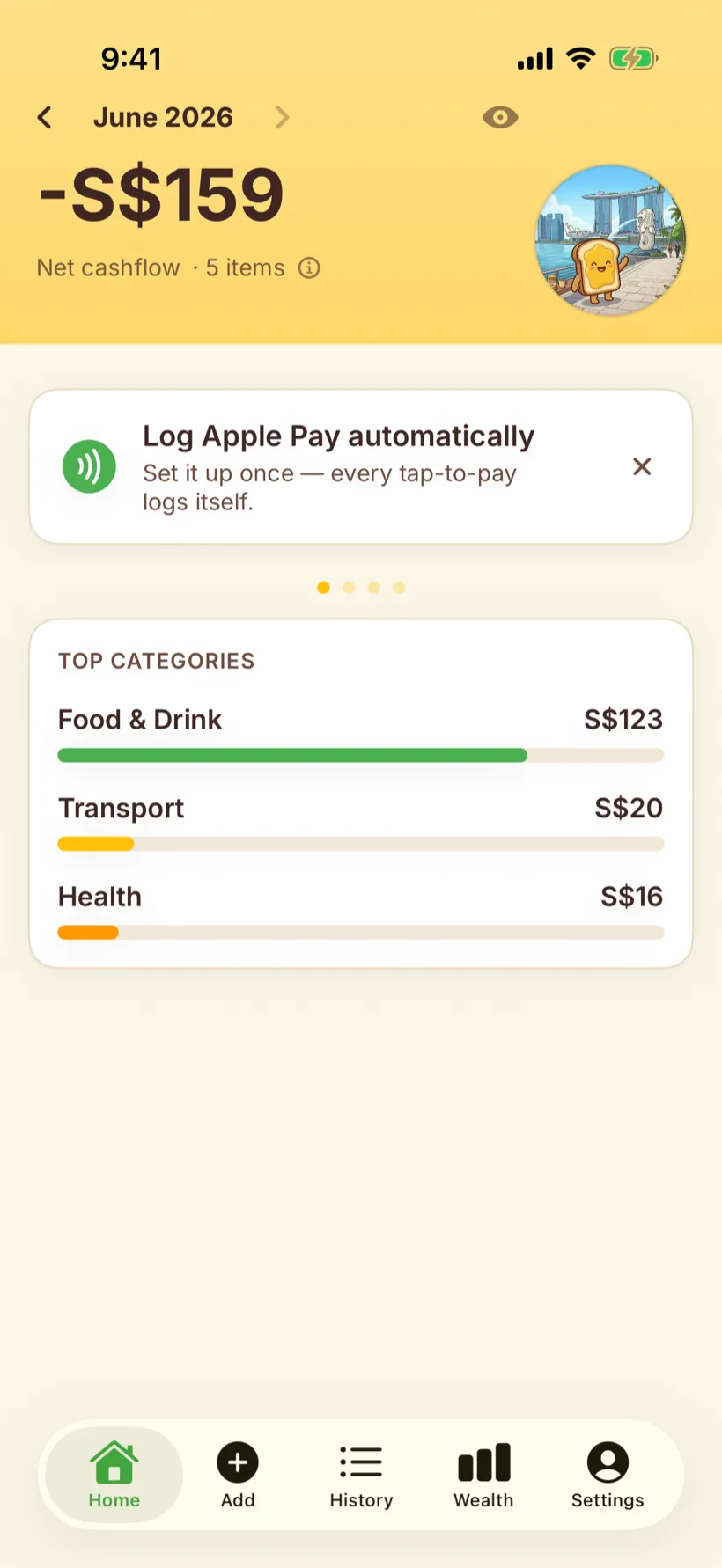
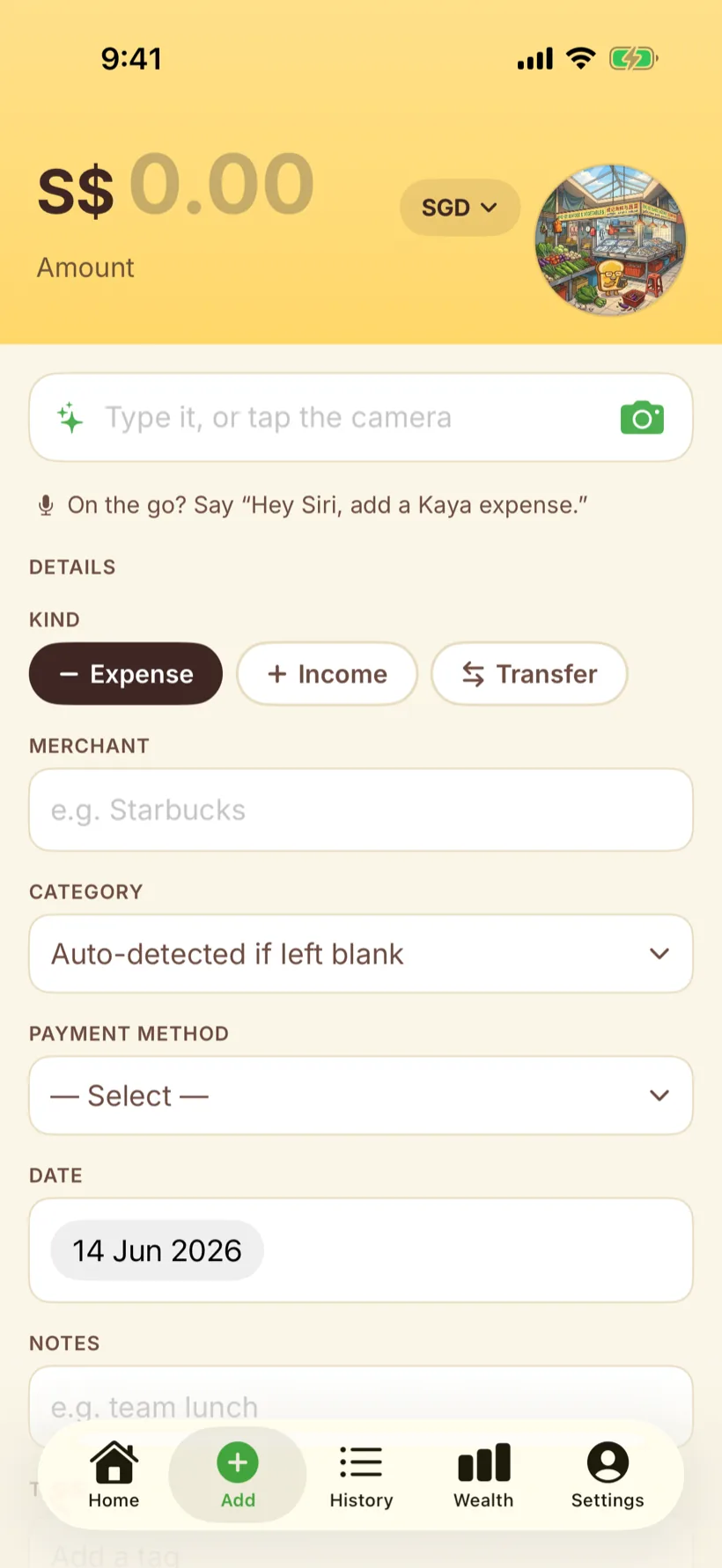
However it arrives, Kaya files it right.
An AI agent powered by Gemini reads each receipt, email, or quick note and turns it into a structured expense: amount, merchant, category, account, even foreign currency converted to your home currency. You just glance and confirm.
- A receipt photo Food & Drink S$5.50
- A forwarded bank alert Transport S$12.00
- “din tai fung 64, split it” Dining · split S$64.00
Receipts and bank emails get the same treatment, and nothing is ever logged silently.
Five ways an expense gets in. Zero forms to fill.
However the spend happens, Kaya's AI meets it where it is, and turns it into the same clean, categorized record.
- Type it “lunch 18 at maxwell, paid cash”
- Snap a receipt A photo becomes an expense you review
- Apple Pay Tap to pay, then a Shortcut logs it
- Forward an email Bank and merchant alerts parsed for you
- Ask Siri Add an expense by voice, hands free
Every expense, in one place.
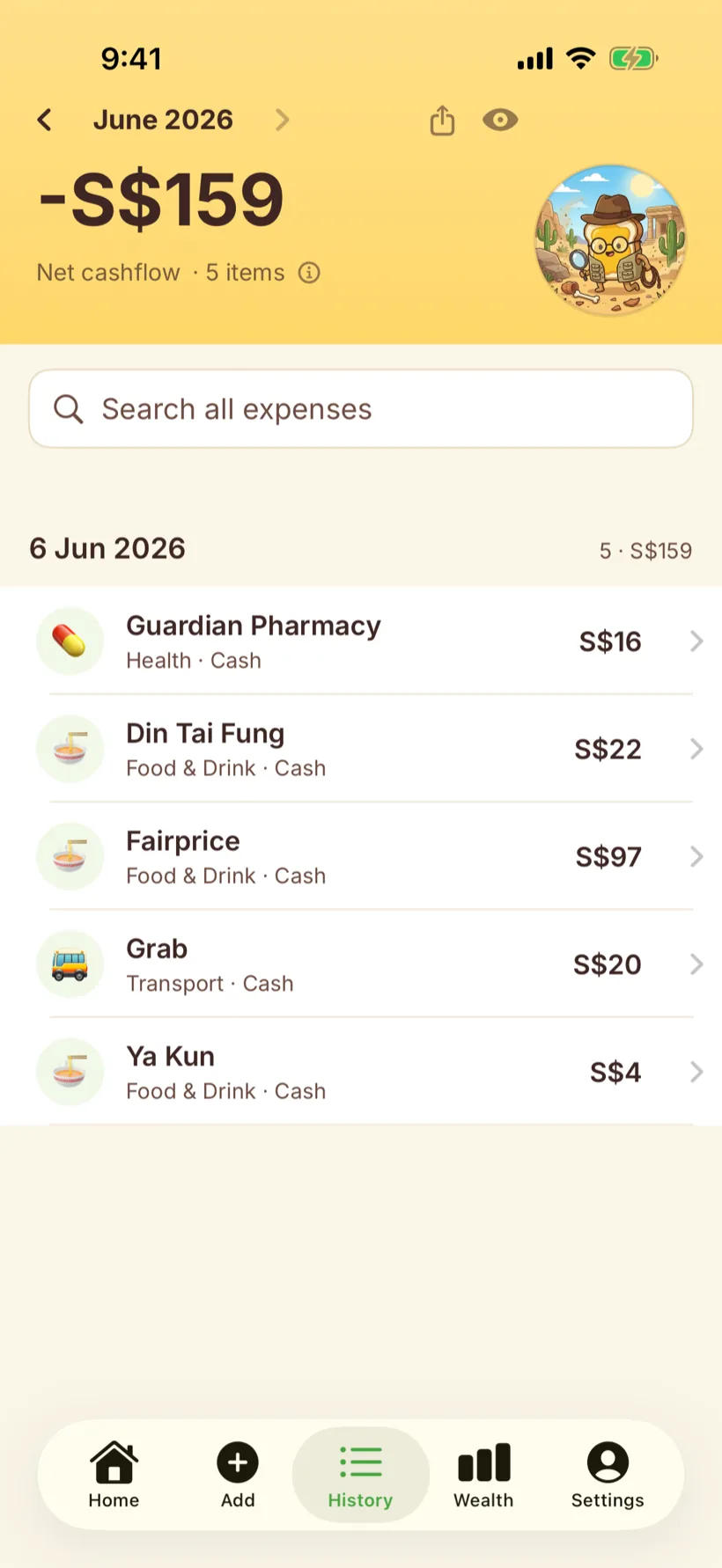
Browse by month, search everything, and see your net cashflow at a glance. Spend in another currency and Kaya converts it to your home currency automatically.
- Net cashflow. Know where the month landed, not just what you spent.
- Search anything. Find any expense by merchant, category, or note.
- Multiple currencies. Travel spend lands in your home currency.
Ask your own AI about your money.
Connect Claude or any MCP client to Kaya and ask about your household's finances, answered live against your real data. Read only and scoped to your household, so your AI can see everything and change nothing.
- “Where did my money go last month?”
- “What was my biggest expense?”
- “How much did we spend on dining?”
- “What's our net worth?”
One home's money, finally on the same page.
Every expense lives inside your household, and yours alone. Run a shared pool, or split finances and settle up. Kaya tracks who owes what and allocates repayments for you.
- Common pool. Track shared spending and personal borrowing in one place.
- Split finances. Per member spending with automatic settlement.
- Net worth and accounts. See your balances across the household.

Your finances are yours.
Kaya never sells or shares your data with advertisers. We do not store your card numbers, bank credentials, or Apple ID. Analytics and crash reporting are anonymized, and you can turn them off. Export or delete everything anytime.
Tracking that finally keeps up with you.
Kaya is free today. Every feature included, AI and all.